

Table of Contents
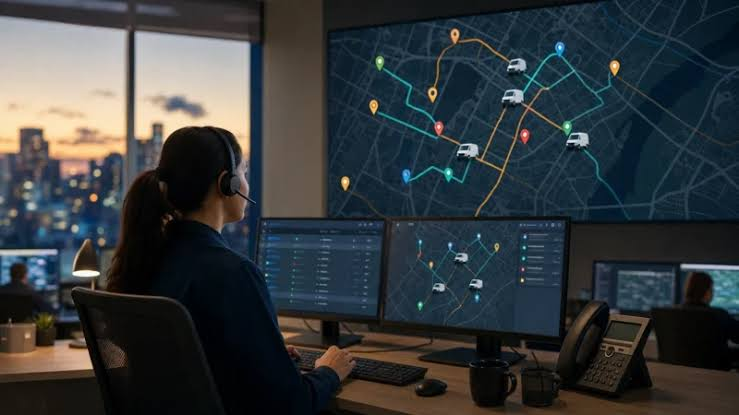
In any field service company, the dispatcher sits at the centre of the action. They receive new requests, decide who goes where, handle emergencies, reshuffle the day when something goes wrong and answer customers who want to know when the technician will arrive. When dispatching is done with a phone, a whiteboard and a spreadsheet, even a talented dispatcher is constantly firefighting.
Dispatch software changes that. It gives dispatchers a real-time view of the entire operation and the tools to make fast, informed decisions. In this article we explain how it works, why it matters and how to choose a solution.
What Is Dispatch Software?
Dispatch software is a digital tool that helps companies assign jobs to field workers and monitor their progress. At its core is a dispatch board — usually a timeline or calendar view showing every technician and their scheduled jobs. Dispatchers create jobs, assign them with a few clicks and instantly send all the details to the technician’s mobile app.
To understand the concept in more depth, see this detailed overview of dispatch software and how it fits into a broader field service workflow.
Why Manual Dispatching Breaks Down
Manual dispatching works when a company has two or three technicians. As the team grows, problems multiply:
- Dispatchers lose track of who is where and what is finished.
- Technicians call the office repeatedly for addresses, codes and instructions.
- Urgent jobs are assigned to whoever answers the phone, not to the best-placed technician.
- Customers wait without updates and call the office to ask.
- End-of-day reporting requires collecting information from everyone individually.
Each of these issues costs time and money. Together, they cap how fast a business can grow.
Key Features of Effective Dispatch Software
Visual Dispatch Board
A clear, interactive board shows all technicians and jobs on one screen. Dispatchers can drag and drop jobs between people and time slots, instantly seeing the effect on the schedule.
Real-Time Job Statuses
Technicians update statuses from their phones — on the way, started, completed. The dispatcher sees progress live without making a single phone call.
Technician Location
Knowing where technicians are allows dispatchers to send the nearest available person to an urgent job, reducing response times and travel costs.
Skill and Availability Matching
Not every technician can handle every job. Good software stores skills, certifications and working hours, helping dispatchers avoid sending the wrong person.
Instant Job Delivery to Mobile
Once assigned, the job appears on the technician’s phone with the address, customer contacts, description, attachments and checklists. No retyping, no misunderstandings.
Customer Notifications
Automatic messages tell customers when the technician is on the way and when the job is complete, reducing incoming calls and improving satisfaction.
Handling Emergencies and Changes
Real life rarely follows the plan. A technician gets stuck on a complicated repair, another calls in sick, and a high-priority client reports an urgent problem. Dispatch software makes these situations manageable. The dispatcher sees the current state of every job, identifies who can take the urgent call, and reassigns affected jobs in a few moves. Technicians receive updates instantly, and customers can be notified of new arrival times automatically.
Reducing Travel Time
Driving between jobs is one of the largest hidden costs in field service. By grouping jobs geographically and assigning them to technicians already working nearby, dispatch software helps cut unnecessary kilometres. Less time on the road means more jobs per day, lower fuel costs and less stress for technicians.
Benefits for the Whole Company
- Dispatchers handle more jobs with less stress and fewer phone calls.
- Technicians receive clear instructions and spend less time waiting for information.
- Managers see real-time operations and accurate performance data.
- Customers enjoy faster responses and transparent communication.
- Owners gain a scalable operation that does not depend on one person’s memory.
Measuring Dispatch Performance
With dispatching digitised, you can track metrics that were previously invisible:
- Average response time for urgent requests.
- Number of jobs completed per technician per day.
- Share of jobs completed on schedule.
- Travel time between jobs.
- Frequency of reassignments and cancellations.
Monitoring these indicators helps identify bottlenecks and continuously improve the operation.
Choosing Dispatch Software
When comparing solutions, focus on how intuitive the dispatch board is, how quickly jobs reach technicians, how well the mobile app works offline, and whether the system integrates with your CRM or accounting tools. Ask vendors to demonstrate a realistic scenario: an urgent job arriving mid-day when all technicians are busy. The ease with which the system handles that moment says a lot about its quality.
Also consider scalability. The right tool should work equally well for five technicians today and fifty in a few years.
Implementation Tips
Start by setting up technicians, their skills and working hours. Import customers and common job types. Run the new system in parallel with your current process for a short period if needed, then switch fully. Encourage technicians to update job statuses consistently — the value of real-time visibility depends on accurate data.
Frequently Asked Questions
How many technicians do I need before dispatch software makes sense?
Even teams of three to five technicians benefit, because the number of daily changes grows faster than the team itself.
Does dispatch software replace the dispatcher?
No. It gives the dispatcher better information and faster tools, so they can focus on decisions rather than phone calls.
Can customers track the technician?
Many platforms send customers notifications with arrival updates, which reduces anxious calls to the office and improves the overall experience.
Conclusion
Dispatch software turns the dispatcher’s job from constant firefighting into confident coordination. With a real-time view of technicians and jobs, instant communication and smarter assignment, service companies respond faster, complete more work and keep customers informed. For any business with a growing field team, it is one of the most valuable investments available.
